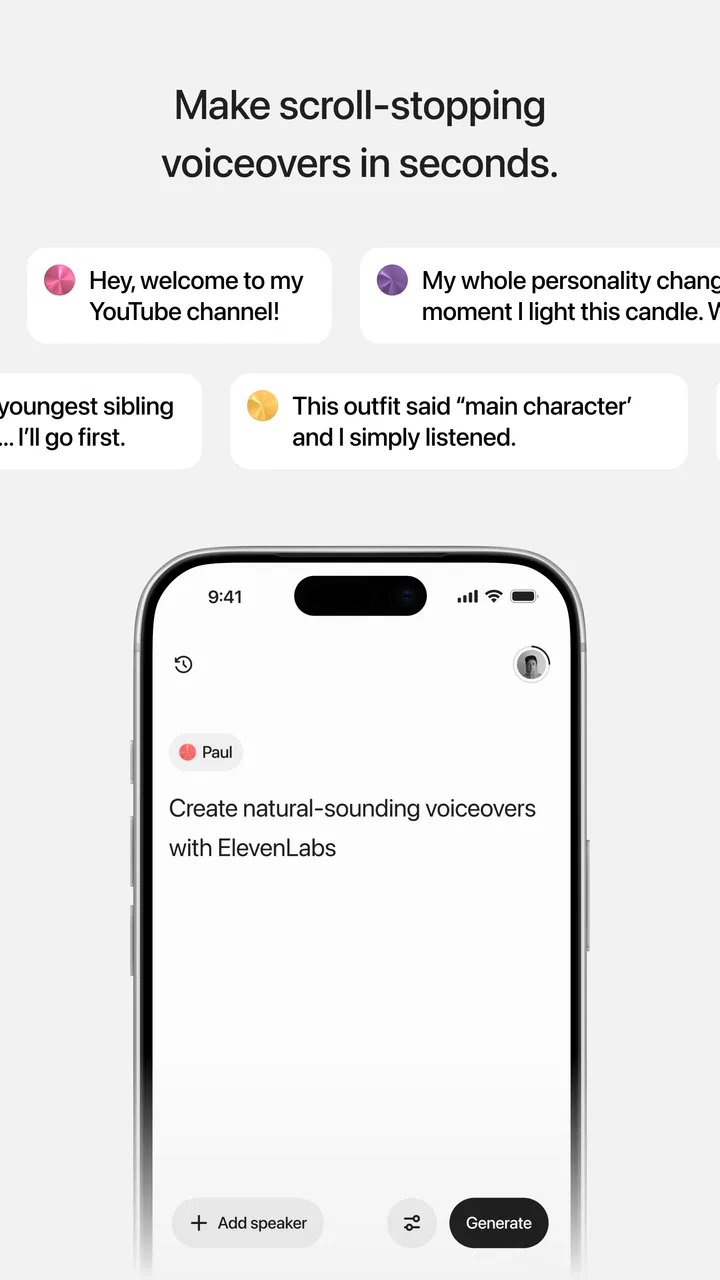
ElevenLabs: AI Voice Generator
- 4.7
- Rating
- 10.00M
- Installs
- Free
- Price

 Analysis by App-foxy
I found ElevenLabs: AI Voice Generator most interesting when I stopped treating it as a novelty and used it as a practical listening tool. It is a music and audio app from Eleven Labs Inc, built around turning written text into spoken audio. That basic idea can help content creators, but it also matters to people who understand information more easily by hearing it, users who need a break from reading, and anyone trying to make a script feel natural before publishing it.
My experience with it is that the value depends less on producing a voice and more on how thoughtfully you prepare the text. A clean script can become a useful narration quickly; a poorly formatted one can sound awkward even when the voice itself is convincing. That makes the app more hands-on than the short store description suggests. It is free to install, rated for Everyone, and currently sits at a 4.7 average from around 64 thousand ratings, so it has clearly attracted a large audience. Still, popularity does not remove the need to decide whether its workflow suits the way you read, write, listen, and create.
How the app feels to read, navigate, and prepare
The first thing I would want from a text-to-voice app is a readable path from written material to playback. ElevenLabs is strongest when I approach it with a specific task: prepare a short narration, listen to an article draft, or turn notes into something I can review away from the screen. That focused approach keeps the experience understandable. Instead of expecting it to be a complete writing suite, I see it as a voice layer placed over text that I already have.
You May Also Like

 Blood Strike: 2.5 Anniversary
Blood Strike’s Loadouts Turn Every Drop Into a Tactical Gamble
A close look at Blood Strike’s custom loadouts: how fast access to signature weapons reshapes its battle royale rhythm, rewards preparation, and narrows the gap between fights.

 Pandora - Music & Podcasts
Pandora’s Music Is Easy to Start, but Harder to Recover
Pandora’s strength is its low-effort path from a seed to a station. Its weak spot is how much confidence it asks you to place in connection, setup, and quiet recovery.

 8 Ball Pool
 Is Built on Rivalries, Rematches, and Routine
A close look at the rivalries, rematches, shared routines, and unanswered safety questions that turn a quick pool match into a persistent mobile community.

 Samsung Music
’s Quiet Strength Is Playing What You Already Own
Its reach comes less from spectacle than from dependable access to a personal library. That simplicity is both the app’s strongest retention engine and its ceiling.

 AccuWeather: Weather Radar
AccuWeather Review: A Quick, Clear Forecast for Everyday Decisions
For everyday plans, the best forecast is the one you can understand quickly. AccuWeather makes rain timing, radar, and local conditions easy to act on, with a few trade-offs.

 Hill Climb Racing
Why Hill Climb Racing Still Turns Crashes Into One More Run
A tiny car, a bumpy hill and one more upgrade: Hill Climb Racing keeps resurfacing because its simple chaos makes every near-miss feel personal.
More From Our News Desk



For users who find dense screens tiring, the most useful habit is to work in small sections rather than paste an entire document at once. Short passages are easier to inspect, correct, and replay. They also make it simpler to notice where punctuation, abbreviations, or unusual names cause an unnatural pause. I would prepare a script in paragraphs, listen to each part, and only then combine the sections into a finished sequence. This is slower than pressing one button on a long document, but it gives much better control over comprehension and tone.
Readability is not only about font size or visual contrast. It is also about whether the text is organized well enough for the voice to interpret it. I get better results when I replace cluttered notes with complete sentences, add punctuation where I want breathing room, and spell out terms that might be read incorrectly. That is a particularly important tip for people using the app to listen instead of read: the audio may expose confusing sentence structure that was easy to overlook on the page.
I would not choose this app as my main place for drafting complicated documents. A traditional notes or writing app is usually better for rearranging ideas, comparing versions, and editing a long piece. ElevenLabs becomes more useful after the writing has reached a reviewable stage. In that role, hearing the words can reveal repetition, missing transitions, and sentences that look fine but are difficult to follow aloud.
The interface also has an important learning curve for first-time users. Text-to-speech can appear simple because the visible action is straightforward, yet the quality depends on choices about voice, pacing, pronunciation, and structure. A new user may expect every pasted passage to sound ready for publication. I think the app rewards experimentation, but people who want a completely automatic result may find that expectation frustrating.
Making the reading experience easier to follow
For a listener with dyslexia, attention difficulties, or visual fatigue, hearing a text can reduce the effort involved in scanning a page. It does not replace every reading method, and I would not present it as a solution for every reading disability, but it can provide another route into the same material. I especially like the possibility of listening while checking the written version, because the two modes support different kinds of understanding.
A practical workflow is to use the voice as an editing partner. I would first read a script silently, then listen without looking at the screen, and finally listen again while following the text. The first pass tests overall clarity, the second catches visual assumptions, and the third helps locate exact wording that needs correction. This three-stage method is more useful than judging the voice from a single sentence.
There is also a trade-off between natural delivery and predictable pronunciation. A more expressive voice may make a story or social clip engaging, but a technical explanation can benefit from a steadier delivery. When the content includes product names, specialist vocabulary, or mixed-language phrases, I would test a few lines before committing to a long recording. That small check can save time and prevent an otherwise polished narration from becoming distracting.
Motor and sensory considerations in everyday use
Text-to-voice can reduce the amount of continuous reading and typing a person needs to do, which may help during periods of eye strain or limited hand use. Someone who has already prepared a script can listen while resting their hands, moving around the room, or taking a break from a bright display. For me, that makes the app more flexible than a conventional audio player, because the spoken material begins with text I control.
At the same time, creating audio still involves interaction. Entering text, correcting punctuation, choosing settings, and reviewing output may require repeated taps and visual attention. I would not assume that voice generation automatically makes the entire workflow accessible to someone with motor limitations. The benefit is greatest when the user can prepare text elsewhere, keep passages short, and avoid unnecessary revisions inside the generator.
Sensory preferences also vary widely. Some listeners prefer a calm, even voice, while others need stronger expression to maintain attention. A voice that sounds pleasant for a short social post may become tiring during a long explanation. I recommend testing the app with the exact kind of material you expect to hear: a news-style paragraph, a list of instructions, a story, or a personal note can each expose different strengths and weaknesses.
For people who are sensitive to sudden changes in volume or delivery, previewing a passage is important. I would listen to transitions between paragraphs rather than judging isolated sentences. A sentence can sound excellent by itself but feel abrupt when placed after a heading, quotation, or list. Breaking the script into meaningful units gives the listener more control and makes the final audio easier to pause and resume.
Users with hearing loss may not benefit from generated speech in the same way as users who rely on audio, so the app should be considered one format among several rather than a universal accessibility tool. The written source remains important. I would keep the original text available, especially for captions, transcripts, or visual review. That also helps anyone who needs to verify names, numbers, or technical terms that are easy to mishear.
Where it fits into real situations
A realistic everyday example is a small creator preparing a short video after work. They write a rough script on a phone, generate a spoken version, and listen while cooking or commuting. The first playback may reveal that the opening takes too long or that the call to action sounds forced. They revise the text, generate it again, and use the improved version as a guide for recording or as finished narration. In this situation, the app saves mental effort because the creator can evaluate the script without staring at it.
Another useful situation is studying. I would turn a compact set of revision notes into spoken prompts, then listen while walking. The important limitation is that long, dense material is not automatically transformed into good teaching content. I would rewrite the notes into short ideas with clear pauses rather than paste a full chapter. The app can make review more portable, but the quality of the study session still depends on how the notes are structured.
It can also help someone rehearse a presentation. I would generate the draft, listen for sentences that are too formal or too long, and mark places where a human speaker would naturally pause. This is a subtle but valuable use: the synthetic voice acts as a neutral reader. It does not replace practicing aloud, because a human presenter still needs to manage breathing, emphasis, and audience reaction, but it can expose problems before rehearsal.
For influencers and content creators, the clearest advantage is speed during early production. A creator can test several script versions before recording, compare how an introduction sounds, and identify sections that need visual support. I would use it as a planning and review tool even when I ultimately want my own voice in the final video. That approach avoids forcing the generated voice to carry a personal style it may not be intended to replace.
The app is less suitable when the job requires live conversation, detailed audio editing, or a full music-production environment. A conventional recorder, editor, or screen-reader workflow may be a better choice depending on the task. ElevenLabs is focused on converting text into spoken output, not on being an all-purpose studio. Knowing that boundary prevents disappointment.
Comparing it with familiar alternatives
Compared with the built-in text-to-speech tools found on phones and computers, this app feels aimed more directly at polished creator output. System voices are convenient for reading menus, documents, and accessibility support, and they are often already integrated into the device. I would choose those built-in options when I need quick, functional reading with minimal setup. I would look to ElevenLabs when the voice itself is part of a script, presentation, or publishable audio workflow.
Compared with audiobook and podcast apps, the difference is even clearer. Those services provide finished listening content, while this app starts with text supplied by the user. It is therefore more flexible for personal notes, drafts, captions, and custom scripts, but it also places responsibility on the user to prepare good material. If I simply want to relax with professionally produced content, a podcast or audiobook service is more appropriate.
Compared with recording my own voice, the app offers consistency and privacy from the microphone. I can review wording without worrying about background noise, vocal fatigue, or a poor first take. The trade-off is personality. A generated voice may be cleaner for some projects, while a real voice often communicates identity, emotion, and trust more directly. I would decide based on the purpose rather than assuming synthetic narration is always better.
Compared with a full editing application, ElevenLabs is easier to understand when the central problem is “how should this text sound?” A dedicated editor wins when I need precise cuts, layered sound, music, effects, or detailed timing. Using the wrong tool can create extra work, so I would generate the voice here and move to an editor only when the project genuinely needs production controls beyond narration.
Costs, device fit, and practical expectations
The app is free to install, which makes it easy to test without committing immediately. It includes in-app purchases ranging from around 22 dollars to around 219 dollars per item, so anyone planning regular or professional use should examine the purchase options carefully before building a workflow around it. I would begin with a small personal project, learn how much generation I actually need, and only then consider spending money.
It runs on Android devices using version 7.0 or newer, which gives it broad compatibility with many phones and tablets. The current version is 0.0.62, and that version detail matters mainly because an early-stage product can change as the developer improves the experience. I would keep the app updated, but I would also save important scripts outside it. That is sensible protection for any creative workflow, especially one involving work that would be difficult to recreate.
Eleven Labs Inc has positioned this as a creator-oriented audio app, and the audience size supports that impression: it has passed one million installs. I still would not let the install count decide whether it is right for someone with specific access needs. A large user base tells me the concept is useful to many people; it does not guarantee that every navigation pattern, voice choice, or editing step will suit every individual.
Barriers I would plan around
The biggest barrier is the difference between generating speech and generating speech that is ready to use. Users who need highly predictable pronunciation may have to rewrite text, add punctuation, or test names individually. That extra preparation can be tiring for people with limited time, motor difficulty, or cognitive fatigue. My advice is to create a reusable text template with short paragraphs, clear headings, and pronunciation-friendly wording.
Another barrier is the risk of overestimating what audio alone can communicate. Lists, tables, links, quotations, and visual references may lose meaning when read as a continuous stream. If I were adapting an article or lesson, I would rewrite those elements into spoken explanations rather than expecting the voice to preserve the original layout. This is especially important for listeners who cannot easily switch back to the visual source.
There is also a personal-comfort issue. Some people may find synthetic speech distracting, emotionally flat, or too expressive for serious material. Others may prefer it precisely because it is consistent and does not carry the social pressure of asking another person to read something aloud. I would test several kinds of content before deciding. A tool that works well for short instructions may not feel right for reflective writing or sensitive subjects.
Privacy and ownership deserve practical attention whenever personal text is sent through a voice-generation service. I would avoid pasting confidential notes, private messages, or sensitive client material until I had reviewed the app’s current terms and settings myself. That is not a criticism unique to this product; it is simply a responsible habit when using online AI tools. For public scripts and ordinary study notes, the risk may feel manageable, but private content deserves extra caution.
My inclusive verdict
I recommend ElevenLabs: AI Voice Generator to creators who want to hear their scripts, produce spoken drafts, or make written material more portable. I also think it can be valuable for people who benefit from listening, provided they keep the written source available and shape the text carefully. Its strongest accessibility contribution is flexibility: the same words can be reviewed through sight and sound, and a user can choose when listening is easier than reading.
I would not recommend it as a universal replacement for screen readers, built-in device accessibility tools, human narration, or professional audio editors. Those alternatives remain better in situations involving system-wide navigation, live access, complex production, or a need for a distinctly personal voice. The app is most convincing when the task begins with a script and ends with understandable, reusable speech.
Overall, I see it as a capable bridge between writing and listening rather than a magic button. Prepare the text in manageable sections, preview difficult words, compare the audio with the original, and keep a backup of important scripts. If that workflow matches your needs, the app can make content review and narration noticeably easier. If you want effortless reading of everything on your device or complete studio control, I would choose a different tool and use this one only for the parts it handles best.
My bottom line: it is a useful, creator-focused way to add an audio path to written content, with real benefits for flexible listening but enough preparation and cost considerations that you should test your own material before relying on it.
FAQs for ElevenLabs: AI Voice Generator
01What is ElevenLabs: AI Voice Generator?
ElevenLabs: AI Voice Generator is an advanced application that utilizes artificial intelligence to create realistic human-like voices. Users can generate speech in various languages and styles, making it ideal for content creators, developers, and anyone interested in voiceover work. The app offers a user-friendly interface and customizable options.
02How accurate and natural are the voices generated by the app?
The voices generated by ElevenLabs are highly accurate and natural, thanks to its cutting-edge AI technology. The app uses deep learning models to mimic human speech patterns, intonation, and emotion, providing a seamless and lifelike auditory experience. Users often find it difficult to distinguish between AI-generated voices and real human voices.
03Is ElevenLabs: AI Voice Generator free to use?
ElevenLabs offers a range of pricing plans, including a free version with limited features. Users can choose to upgrade to a premium plan for access to additional voices, languages, and advanced customization options. The pricing structure is designed to cater to different needs, from casual users to professionals.
04What platforms is the app available on?
ElevenLabs: AI Voice Generator is available for both Android and iOS devices. Users can download the app from the Google Play Store or Apple App Store. The app is optimized for mobile use, providing a smooth and responsive experience on smartphones and tablets.
05What are the privacy and data security measures in place?
ElevenLabs is committed to user privacy and data security. The app employs encryption and secure data handling practices to protect user information. Additionally, it does not store personal voice data unless explicitly permitted by the user, ensuring that all interactions remain confidential and secure.
Pros
- High-quality voice output.
- Wide variety of voice options.
- Intuitive user interface.
- Fast processing time.
- Customizable voice settings.
Cons
- Limited free usage options.
- Requires internet connection.
- Occasional voice glitches.
- Subscription can be pricey.
- Steep learning curve for beginners.

ElevenLabs: AI Voice Generator
Gallery